Assigning Users to Departments
Written By Envisage Support
Last updated About 1 month ago
Departments may need to be added before completing this step. See Adding Departments for more details.
In the header nav bar, navigate to Organization.

In the side nav bar, navigate to Departments.
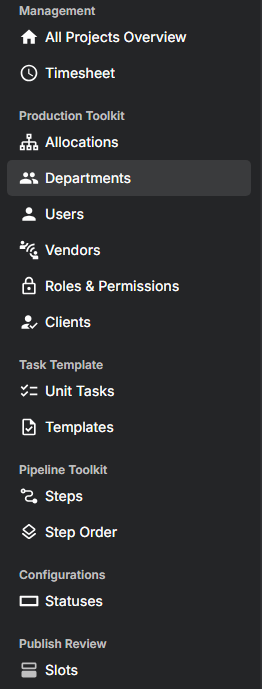
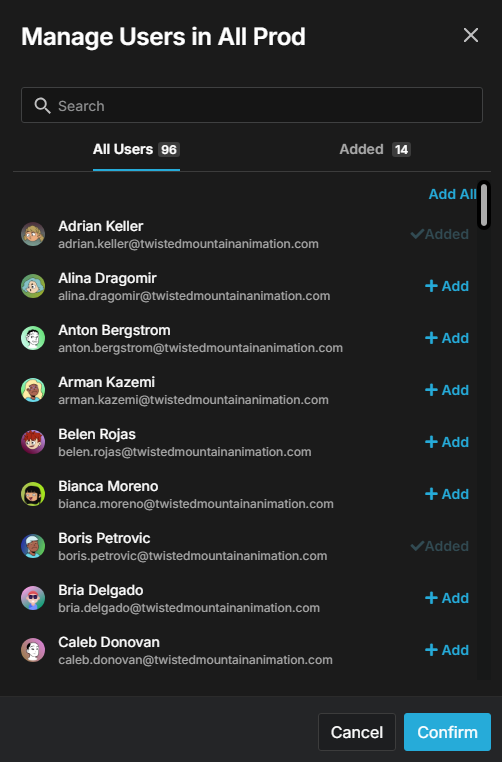
For the relevant department, click the gear-shaped Manage Users icon.

Add any desired users in the following modal using the Add button, then click Confirm.
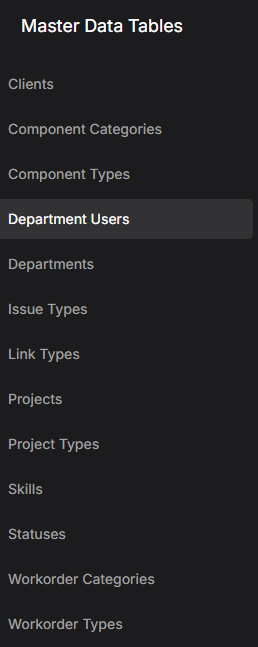
Users may also assign other users to departments by navigating to Admin in the header nav bar.

In the side nav bar, navigate to Department Users.
Click the Add New Department User Map button.

Fill out the information in the following modal, and then click Submit.
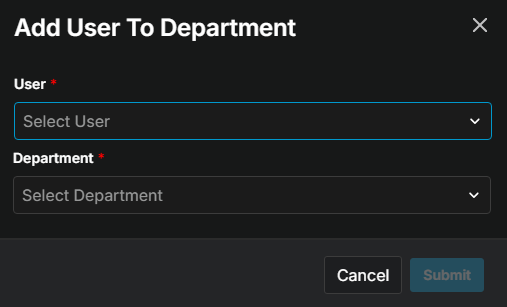
What is a User? What is a department? What does the red asterisk mean?
Repeat as necessary for each department user map.